A notification light for every app on the Pixel 11 Pro
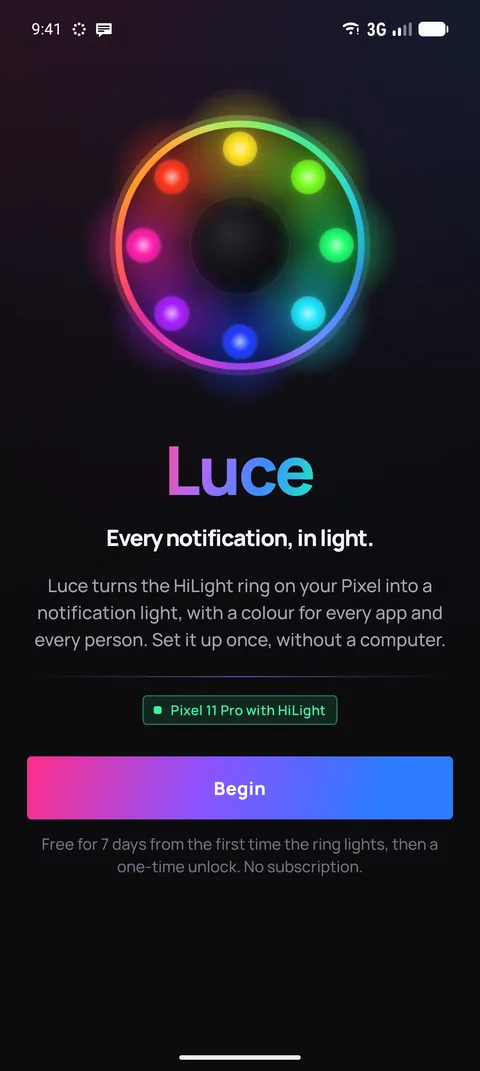
Out of the box, the HiLight ring on the back of the Pixel 11 Pro lights for Gemini and your favourite contacts. Luce makes it light for every app and every person, each in their own colour, so you can see what is waiting with the phone face down.
For the Pixel 11 Pro, Pixel 11 Pro XL and Pixel 11 Pro Fold on Android 17.
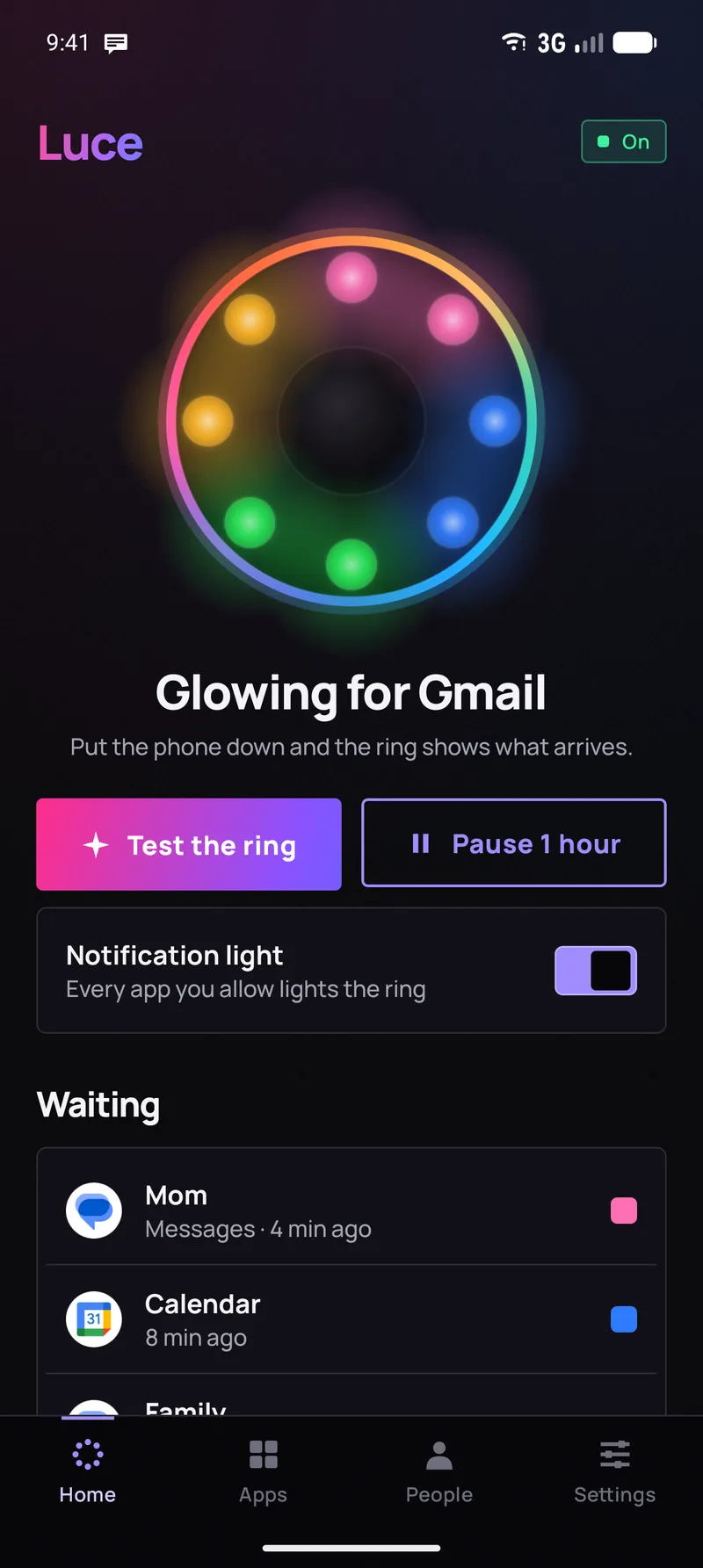
What Luce adds to HiLight
Google built the ring for a few things: talking to Gemini and calls and messages from favourite contacts. Everything else stays dark. Luce turns it into a real notification LED, like the ones phones used to have, only in colour.
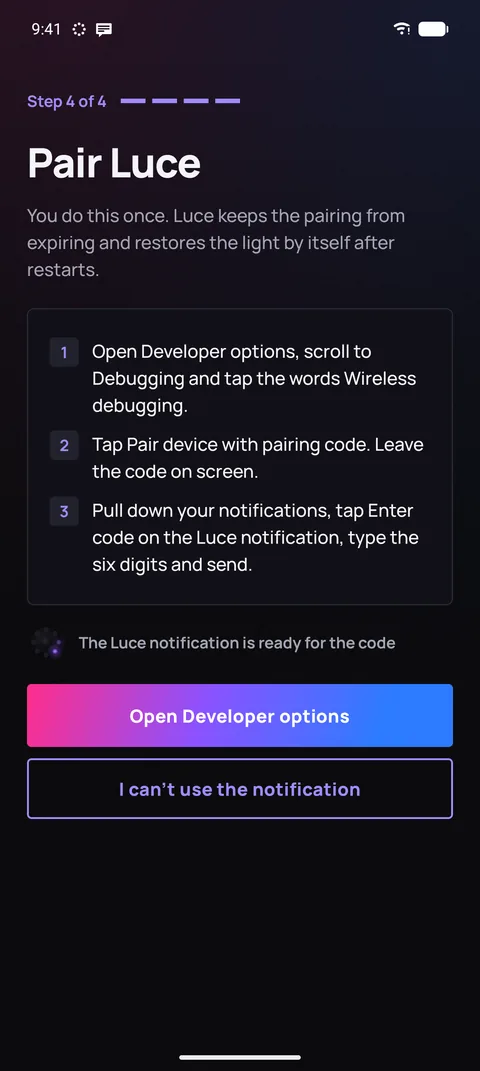
Set up on the phone, no computer
Luce talks to the phone's own Wireless debugging, so the whole setup happens on the phone, once. No PC, no cable, no second app.
- Install Luce and tap BeginIt checks that its notifications are on first, so the pairing code box always shows up.
- Turn on Wireless debuggingLuce opens Developer options for you and shows exactly where to tap.
- Type the six-digit codeTap Pair device with pairing code, then enter the code in Luce's notification. Done.
After a restart, Luce switches Wireless debugging back on and restarts the light by itself on a Wi-Fi network you allowed before. The pairing never expires, and the light keeps running when Wi-Fi changes.
Made for living with
A light you will actually keep on: easy to read, quiet when it should be, and set up the way you want it.
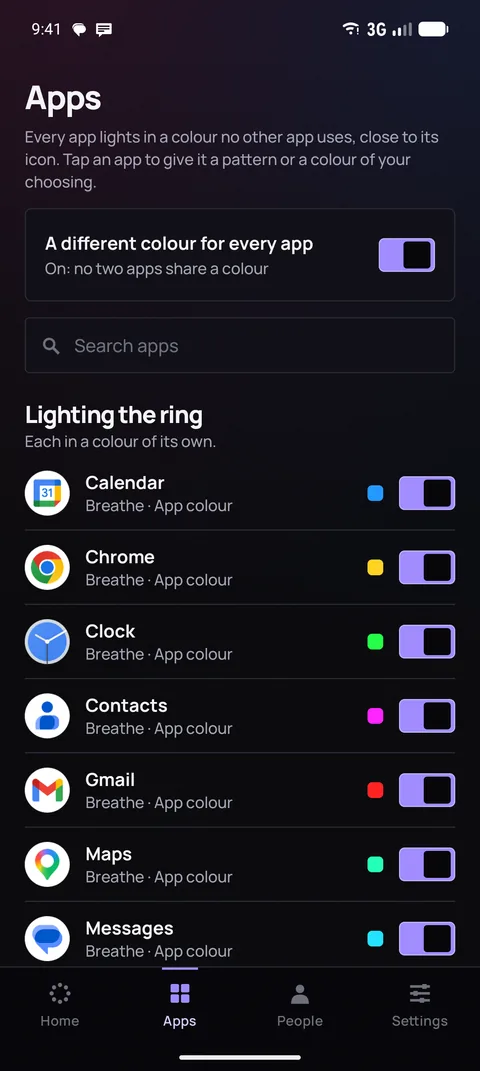
Apps
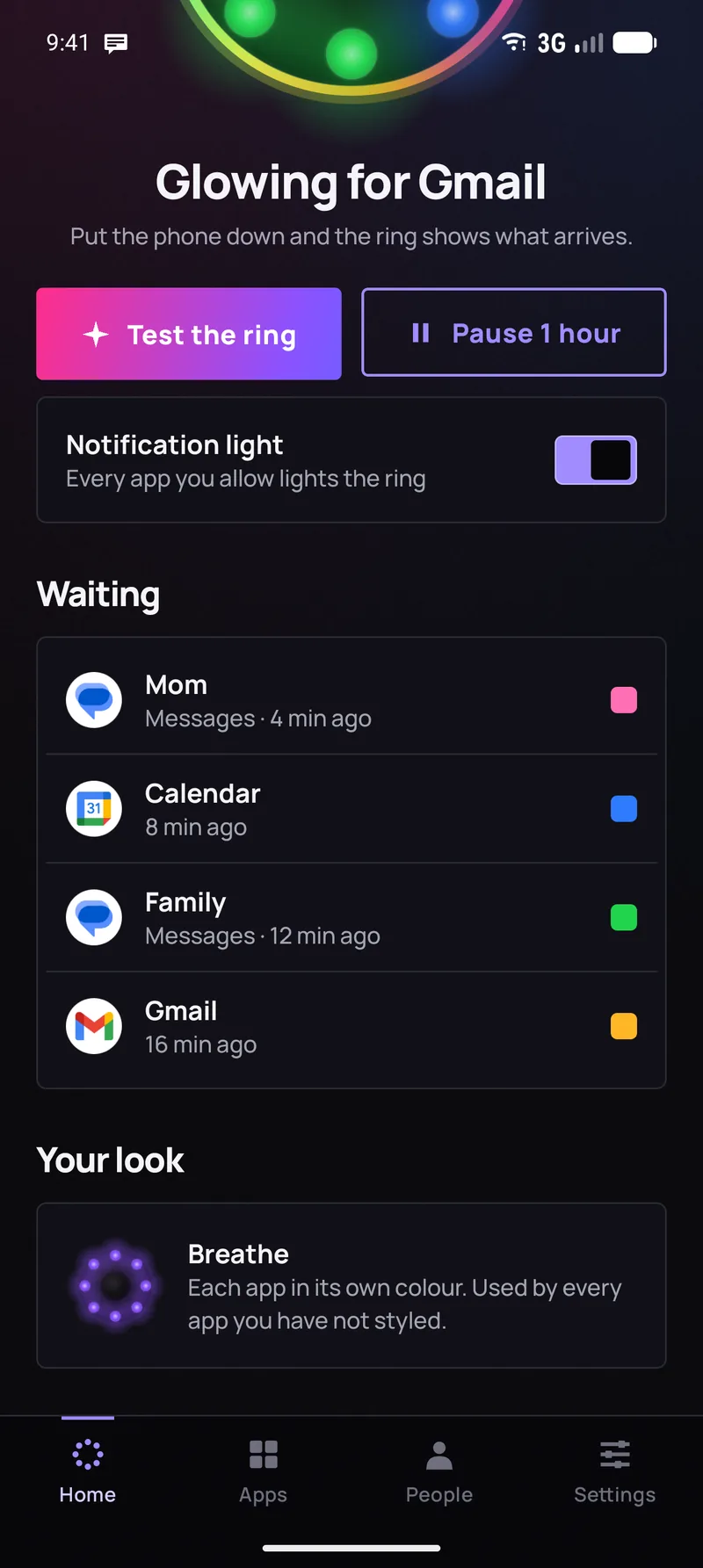
Every app that posts notifications, from Messages and Gmail to WhatsApp, Telegram, Signal, Discord and Slack. Switch any app off with one tap, or give it its own colour and pattern.
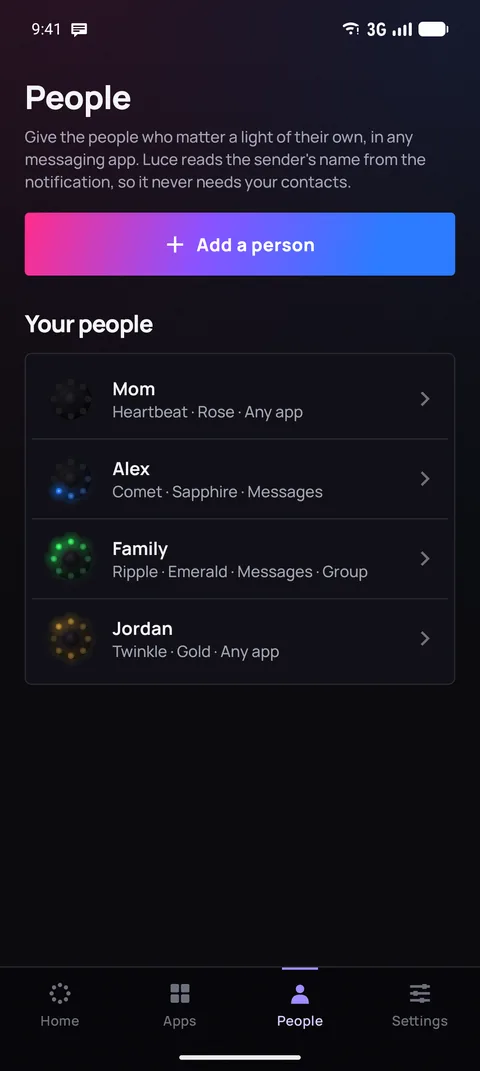
People
Luce reads the sender's name that WhatsApp, Messages, Telegram, Signal, Messenger and other apps show in their notifications, so it never asks for your contacts.
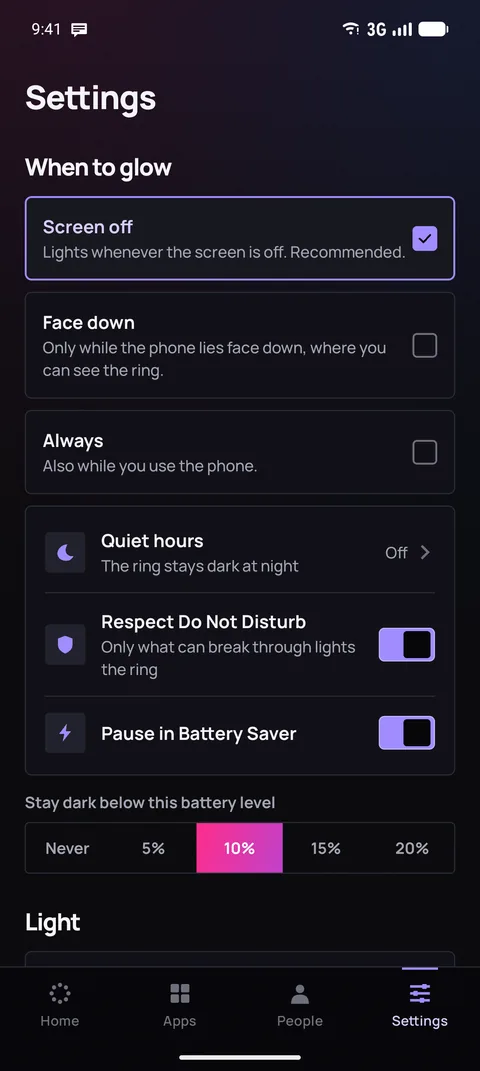
When to glow
With the screen off, only while the phone lies face down, or always. Quiet hours by day, Do Not Disturb, Battery Saver, a low battery cutoff and a one-hour pause in Quick Settings.
Easy on the battery and the LEDs
Luce sleeps until a notification arrives. Face down mode uses the phone's low-power motion sensor and never wakes the phone to check its position. Every light is short, brightness eases off after ten seconds, and the ring rests for half of every ten minutes. Those limits can't be switched off.
Private by design
No ads, no account, no analytics, no tracking. Luce reads notifications on your phone only to choose a colour and never sends anything anywhere. Its only network use is the phone's own Wireless debugging service. Privacy policy
Questions
Can the Pixel 11 Pro HiLight ring light up for every notification?
Not on its own. Out of the box HiLight lights for Gemini and for calls and messages from your favourite contacts. Luce makes it light for every app that posts a notification, and for every person you add, each in their own colour.
Do I need a computer, root or a helper app?
No. Luce pairs with the phone's own Wireless debugging, right on the phone, in three steps. No PC, no cable, no root and no other app. Rooted phones can use root instead if they prefer.
Which phones does Luce work on?
The Pixel 11 Pro, Pixel 11 Pro XL and Pixel 11 Pro Fold on Android 17, the phones with the HiLight ring. The standard Pixel 11 and older Pixels have no ring, so Google Play only offers Luce to those three.
Does the light keep working after a restart?
Yes. On a Wi-Fi network you allowed before, Luce switches Wireless debugging back on and restarts the light by itself, with no taps. The pairing never expires.
Will it drain my battery?
Luce sleeps until a notification arrives. Face down mode uses the phone's low-power motion sensor and never wakes the phone to check its position. Every light is short and the ring rests for half of every ten minutes.
My banking app complains about Developer options. What can I do?
Turn on Discreet mode. Luce switches Developer options off once the light is running and only switches them on again for a few seconds when it has to restart the light.
What does Luce read, and where does it send it?
Luce reads notifications on your phone only to choose a colour, and never sends anything anywhere. No ads, no account, no analytics.
How much does Luce cost?
Luce is free for 7 days from the first time the ring lights. One in-app purchase then unlocks it for good: $2.99 in the US, and Google Play shows the price in your country. No subscription.
Light up your Pixel 11 Pro
Free for 7 days. Every app, every person, in their own light.