

IT Support
IT support that keeps the business running.
Day-to-day support and management for your computers, network and Wi‑Fi — plus the cabling and planning behind them. Monitored, kept up to date and fixed when something breaks, for a fixed monthly price. On site across the Tri-Cities, remote anywhere.
One provider
Every layer of your technology, looked after as one.
- Managed IT & helpdesk
- Networks & firewalls
- Business Wi‑Fi
- Cabling & infrastructure
- IT planning
Most small businesses end up with a break-fix shop for the computers, the internet provider’s router standing in for a firewall, and nobody owning the plan. Blue Ridge runs the whole stack — workstations, servers, network, cloud accounts and the helpdesk behind them — as one environment that’s monitored, patched and planned around how your business actually works.
That means one number to call, one set of documentation, and someone who already knows your setup when something goes wrong. Everything below is part of it.
Managed IT
Managed IT and computer support.
Call it managed IT, computer support, or the people who fix it when it breaks. Most businesses of 5 to 50 people don’t have an IT department — they have whoever is best with computers and a repair shop they call in emergencies.
Managed IT replaces that with a fixed monthly service: every device monitored, updates applied on schedule, backups checked, and help a phone call or a text away. Problems get caught early — a failing drive, a full disk, a missed update — instead of costing a morning.
- 24/7 monitoring and alerting
- Helpdesk by call, text or email
- Patching for Windows, firmware and apps
- Endpoint protection and DNS filtering
- Backups on site and in the cloud, restores tested
- Vendors and warranties handled for you
The difference
Break‑fix vs managed IT
Break‑fix
- You pay each time something breaks
- Nobody is watching until it fails
- Updates and backups are left to chance
- Every visit starts with re-explaining your setup
- Costs arrive as surprise invoices
Managed IT from Blue Ridge
- A fixed monthly price, quoted in writing
- Monitored around the clock
- Updates applied and backups tested on schedule
- Documented, so support starts from what’s already known
- Problems caught early, before they cost a day
Networks & firewalls
Your internet provider’s router is not a firewall.
Most breaches start the same few ways: weak passwords, unpatched software, a phishing email, and a flat network where everything can reach everything.
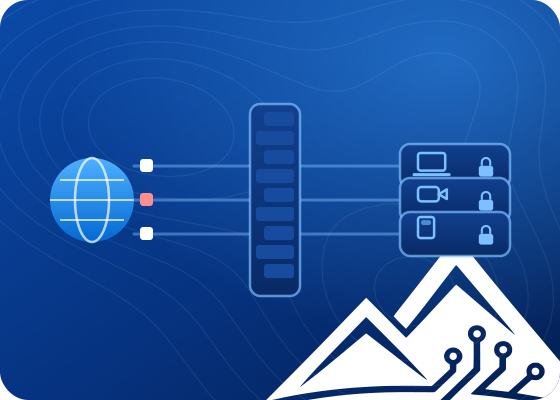
Blue Ridge designs and manages security-first networks — next-generation firewalls, segmented VLANs and secure remote access — so one compromised laptop never becomes a company-wide incident. Card terminals stay off the guest Wi‑Fi, clinic systems stay separate from the front desk.
- Next-generation firewall with inspection and geo-blocking
- Intrusion prevention
- VLAN segmentation by role and risk
- Zero-trust VPN with multi-factor sign-in
- DNS filtering
- Traffic logging for investigation and audits
Want to see what an attacker sees? An external vulnerability scan shows your business from the internet — quoted at a fixed price, in writing, before anything runs.
Business Wi‑Fi
Wi‑Fi that works in every room.
Dead zones cost you orders, scans and patience. Good Wi‑Fi starts with a survey, not a box: the building is mapped for signal and interference, and access points go where people actually work.
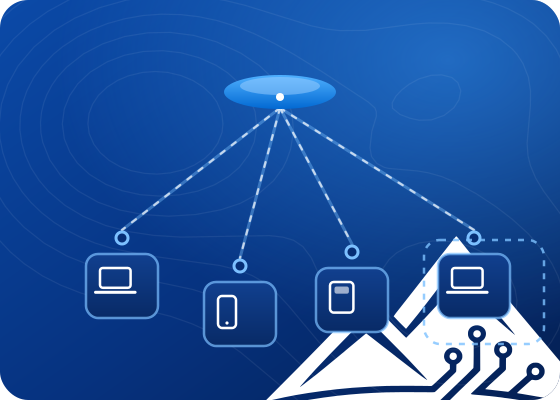
The network is segmented so staff, guests, cameras and card terminals each get their own lane — fast, predictable connectivity, with guests kept well away from anything that matters.
- Site survey before and after installation
- Wi‑Fi 6 / 6E access points, cloud-managed
- Guest Wi‑Fi isolated, with bandwidth limits
- Multi-site SD‑WAN with automatic failover
- Rogue access point detection
- Weatherproof outdoor coverage
Cabling & infrastructure
Built right, labelled and documented.
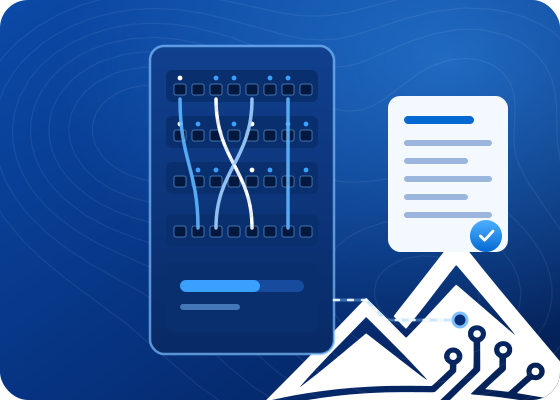
From the first cable run to the last rack unit, Blue Ridge designs and builds the physical foundation your network runs on. Bad cabling is behind more intermittent network problems than almost anything else; doing it properly the first time costs less than chasing faults for years.
Every project follows the same four steps — survey, design, build, certify — and ends with as-built drawings and labelled ports, so anyone working on it later knows what’s there.
- Cat6, Cat6A and fibre, tested and labelled
- Server room and IDF layout
- Rack builds and cable management
- Battery backup sized to the load, with monitoring
- Hardware lifecycle and warranty tracking
- Temperature, humidity and leak sensors

IT planning (vCIO)
A technology plan, not a string of emergencies.
Most IT spending happens one emergency at a time: a failed server forces a purchase, a renewal arrives at a higher price, an insurer sends a questionnaire nobody can answer.
A virtual CIO puts a roadmap, a budget and someone accountable behind every technology decision — without the cost of a full-time executive. It’s delivered remotely, so it works wherever you are.
- A roadmap tied to where the business is going
- Budgets you can forecast
- Vendors evaluated, negotiated and managed
- Compliance planning: HIPAA, NIST 800-171, SOC 2
- Microsoft 365 and cloud migrations planned
- Tested disaster recovery plans
How it starts
From first call to fully looked after
- 1
A look at your setup
Network, hardware, software, security and how your team works — what’s fine, what’s at risk and what can wait.
- 2
A plan and a fixed price
A scope you can read, a realistic timeline, and a price in writing before any work starts.
- 3
Deploy and onboard
Monitoring, security and backups put in place across every device, and staff shown how to get help.
- 4
Ongoing management
Monitored, patched and supported month to month, with regular reviews so the plan keeps up.
From a client
Blue Ridge was excellent. Incredible customer service, and very knowledgeable. Kobe was very efficient and showed great care in making sure my needs were met.
Questions
Common questions
Something else? Call or text (423) 292-1922.
What does managed IT cost?
It depends on how many people and devices you have and what you want looked after, so the price comes after a look at your setup. It’s always a fixed monthly price, quoted in writing before anything starts.
Do you come on site?
Yes, across the Tri-Cities — Kingsport, Johnson City, Bristol, Church Hill and the towns around them. Most support is handled remotely, which is usually faster, and someone comes to you when the problem needs hands.
We already have an IT person. Can you work alongside them?
Yes. Blue Ridge can take the parts they don’t have time for — monitoring, security, backups or a network project — and leave the rest with them.
Can you take over from our current provider?
Yes. The first step is documenting what you have: devices, accounts, licences and who holds the passwords. The handover is planned so nothing goes dark during the switch.
Do we need a new firewall?
Sometimes, not always. If the current one is business-grade and still supported, it can usually be reconfigured. If it’s the router your internet provider supplied, it’s time.
Can we offer guest Wi‑Fi safely?
Yes. Guests get their own network with a sign-in page and bandwidth limits, isolated so guest traffic never touches business systems.
What if something breaks after hours?
Monitoring runs around the clock and alerts reach Blue Ridge directly. For an urgent problem outside business hours, use the direct line on the contact page.
